Home -> Guides -> Multi-Channel Inventory Management
Multi-Channel Inventory Management (Shopify, Etsy, eBay, Amazon)
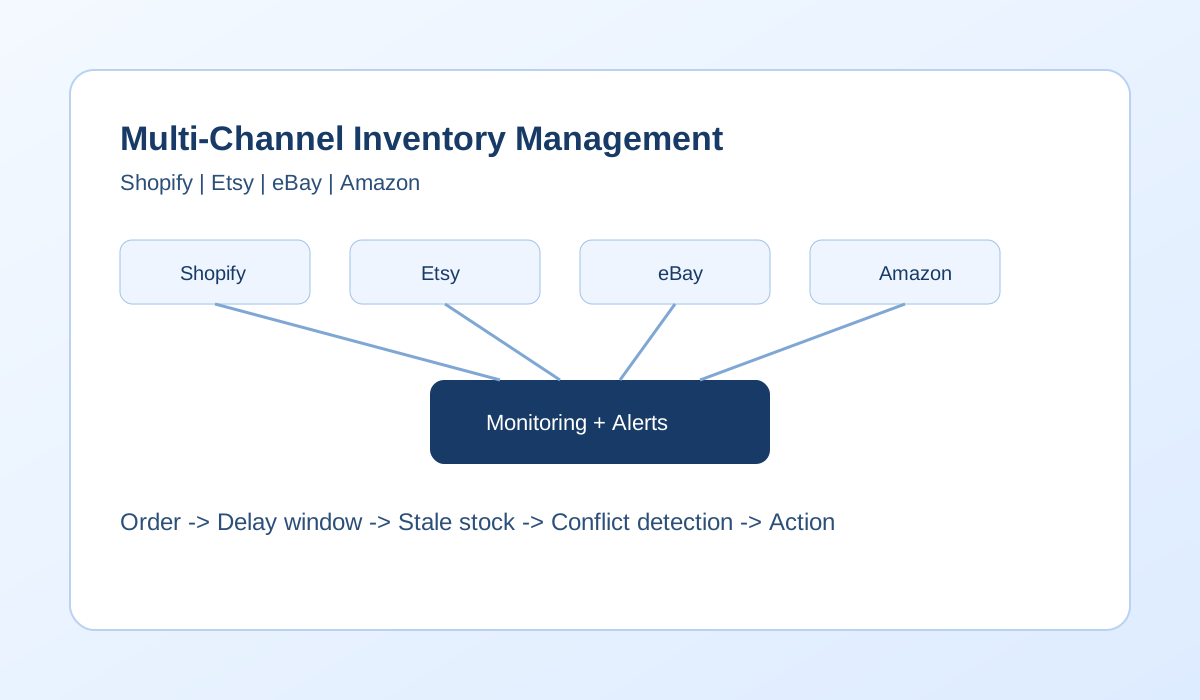
Most stores break inventory processes when they add the second and third channel, not when they add the fiftieth SKU. The failure pattern is consistent: one channel sells, another still shows stock, and operations discover the mismatch after payment. This page maps the common causes and shows where simple monitoring prevents repeat conflicts.
Table of contents
- Why inventory goes out of sync
- Overselling and the last units problem
- Inventory not syncing: causes and diagnosis
- Spreadsheets vs tools: what breaks at scale
- Platform pairs: Shopify+Etsy, Shopify+eBay, Shopify+Amazon
- Monitoring-first approach
- Tools and calculators
- FAQ
Why inventory goes out of sync
Channels are isolated systems. Shopify, Etsy, eBay, and Amazon each maintain their own stock value and process checkout without waiting for other marketplaces. Synchronization happens later through APIs, worker queues, and retry logic. During that lag window, one channel can still show inventory that has already been sold elsewhere.
Failures are often small but frequent: API timeout, rate-limit backoff, delayed queue worker, or inconsistent SKU mapping. Each one extends the window where stale stock can be purchased. If this pattern is familiar, start with inventory not syncing and selling on multiple platforms for detailed failure modes.
Overselling and the last units problem
Overselling usually happens on low-stock SKUs when two channels accept orders close together. See the full breakdown in overselling.
Diagram: Shopify order -> update delay -> Etsy still shows stock -> second order -> oversell.
Timeline example: 10:02 Shopify order confirmed. 10:03 sync retry queued. 10:04 Etsy order confirmed from stale stock. 10:06 mismatch detected in operations view.
Inventory not syncing: causes and diagnosis
Typical causes are request timeouts, API rate limits, queue lag, and SKU identifier mismatch between systems. Diagnosis starts with one SKU and one incident window: compare quantities across channels, check update timestamp order, then verify whether push attempts succeeded or retried.
Use the focused guide for this symptom at inventory not syncing, and pair it with inventory mismatch between platforms for investigation steps.
Spreadsheets vs tools: what breaks at scale
Spreadsheets can keep a small catalog organized, but they are not event systems. As channels, variants, and order velocity increase, manual update cycles fall behind live checkouts.
- 2 channels: manual checks are still possible but error-prone on busy hours.
- 3 channels: pairwise checks multiply and delays become harder to see.
- Higher daily order volume: correction work starts consuming operations time.
- Variants and bundles: one sale affects multiple stock rows and mappings.
| Approach | Works when | Fails when |
|---|---|---|
| manual updates | small volume, narrow catalog | busy days and parallel checkouts |
| buffer stock | low volatility and predictable demand | fast sellers where hidden stock hurts conversion |
| spreadsheet | few SKUs and few channels | many variants, bundles, and channels |
| monitoring + alerts | any volume with defined ownership | tradeoff: needs setup and alert discipline |
Platform pairs: Shopify+Etsy, Shopify+eBay, Shopify+Amazon
Shopify + Etsy
Shopify and Etsy are a common first pair for growing stores, but they diverge quickly on fast SKUs. Shopify can process direct-store promotions while Etsy continues to expose old quantity until the next successful push. Teams often notice this during seasonal bursts where sync retries stack up in the background. If listings use different SKU formats across both systems, even successful API calls can apply to the wrong item, creating hidden mismatch that appears only after checkout.
Operationally, this pair needs strict SKU mapping, low-stock thresholds, and clear ownership for retry failures. Run short reconciliation checks after demand spikes instead of waiting for end-of-day correction. For a pair-specific workflow, use How to Sync Inventory Between Shopify and Etsy.
Shopify + eBay
Shopify and eBay frequently diverge when multi-quantity listings and marketplace timing rules collide. A sale on Shopify can reduce real stock immediately, but eBay may still display pre-update quantity until the next accepted push. During that interval, one more eBay order can create an avoidable cancellation. Risk increases when catalog variants are represented differently between systems, for example one parent product in Shopify and separate child listings in eBay.
Stores with this pair should treat update lag as a measurable operational metric, not a random bug. Track per-channel delay, monitor repeated push failures, and prioritize low-stock SKUs in review queues. If your team needs a direct implementation checklist, follow How to Sync Inventory Between Shopify and eBay.
Shopify + Amazon
Shopify and Amazon can be the highest-pressure pair because Amazon demand can move stock rapidly while Shopify storefront demand remains steady. One delayed stock push from Shopify to Amazon can trigger several oversell candidates in minutes on fast movers. Teams often misread this as isolated fulfillment error, but the root cause is usually lag windows combined with listing-level mapping issues between merchant SKU and marketplace identifiers.
This pair benefits from stricter buffer policy on high-velocity SKUs, immediate alerting on failed updates, and a documented conflict policy when two channels claim the same remaining units. Review data by incident timeline to separate mapping issues from queue delays. For pair-specific guidance, see How to Sync Inventory Between Shopify and Amazon.
Monitoring-first approach
Detection-first means you assume sync will occasionally fail and design operations to catch conflicts early. Instead of waiting for customer-facing errors, teams monitor lag windows, failed pushes, and low-stock SKUs that are most likely to oversell.
Use inventory management to define source-of-truth and stock controls, and order management to handle cross-channel conflict decisions consistently.
Tools and calculators
Guide map
- Shopify inventory not updating
- Etsy inventory not updating
- Inventory mismatch between platforms
- Stock not syncing between channels
Related guides
- Guides hub
- Multi-channel inventory management
- Overselling
- Inventory not syncing
- Selling on multiple platforms